python注释
发布时间:2019-07-01 12:11:13编辑:auto阅读(2526)
一、单行注释
语法:#注释内容
说明:python中单行注释采用 # 开头,注释可以在语句或表达式行末
示例(文件名test.py):
#!/usr/bin/python
# -*- coding: UTF-8 -*-
# 这是单选注释
print "hello,python!";
代码截图:
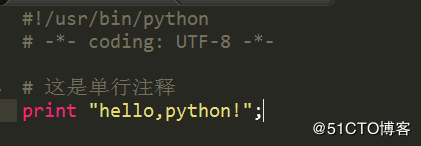
运行截图:

二、多行注释
语法:
'''
注释内容
'''
或
"""
注释内容
"""
说明:python 中多行注释使用三个单引号(''')或三个双引号(""")
示例(文件名test.py):
#!/usr/bin/python
# -*- coding: UTF-8 -*-
'''
打印hello,python1!
'''
print "hello,python1!";
"""
打印hello,python2!
"""
print "hello,python2!";
代码截图:
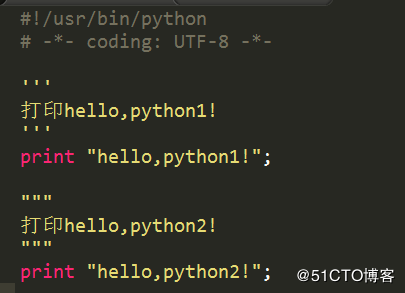
运行截图:
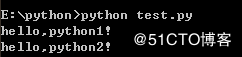

上一篇: python学习_14
下一篇: python11.23
- openvpn linux客户端使用
52722
- H3C基本命令大全
52643
- openvpn windows客户端使用
42832
- H3C IRF原理及 配置
39661
- Python exit()函数
34033
- openvpn mac客户端使用
30995
- python全系列官方中文文档
29793
- python 获取网卡实时流量
24682
- 1.常用turtle功能函数
24526
- python 获取Linux和Windows硬件信息
22904
- LangGraph Studio可视化
274°
- LangSmith开发-应用入门
273°
- LangGraph开发-多轮对话问答机器人
342°
- LangGraph开发-条件分支/循环图实战
328°
- LangGraph开发-生态介绍,入门demo实战
374°
- LangChain-接入12306-HTTP MCP智能体
522°
- LangChain接入自定义爬虫-MCP工具
493°
- LangChain接入Filesystem-MCP工具
515°
- LangChain搭建MCP服务端和客户端流程
585°
- LangGraph与MCP技术概述
511°
- 姓名:Run
- 职业:谜
- 邮箱:383697894@qq.com
- 定位:上海 · 松江
