习题1:第一个程序
发布时间:2017-11-03 10:48:18编辑:Run阅读(8082)
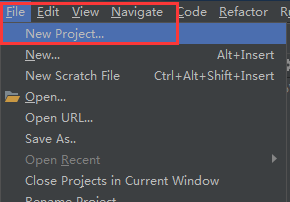
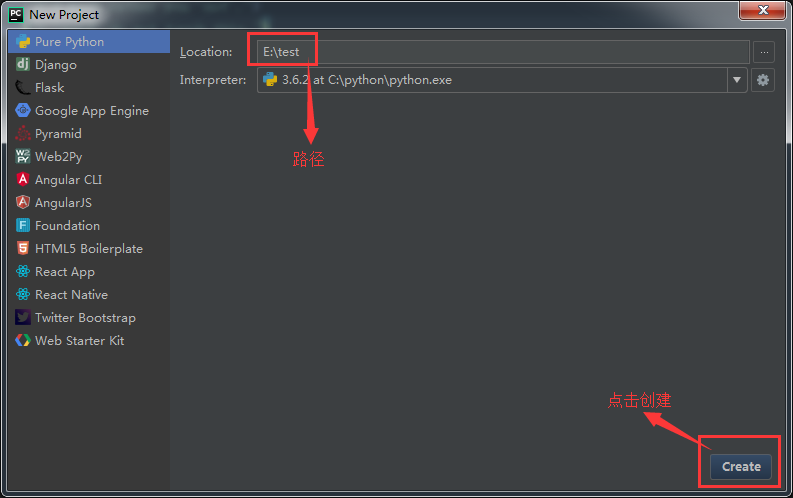
打开pycharm,创建一个test项目目录,所有的习题都将存放在这个目录下
点击File---New Project
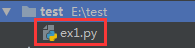
创建一个ex1.py文件
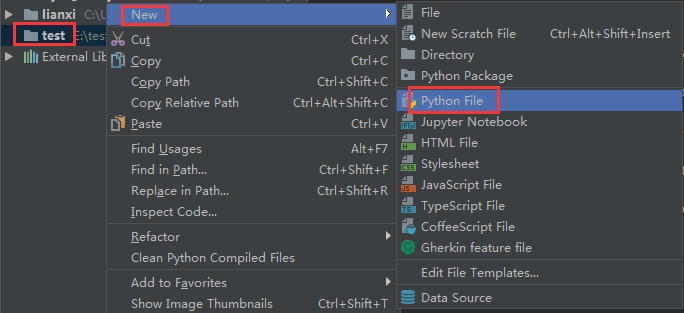
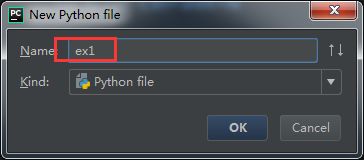
创建完成后,test下面就会多一个ex1.py文件
将下面的内容写入ex1.py中
# coding : utf-8
print("Hello World")
print("Hello Sam")
print("I like typing this.")
print("This is fun.")
print("Yay! Printing.")
print("I'd much rather you 'not'.")
print("I 'said' do not touch this.")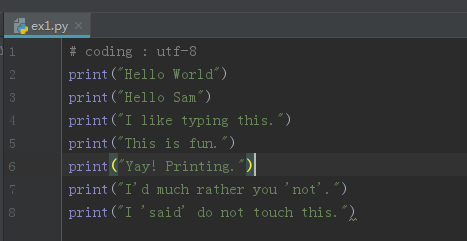
第一行为注释,意思是字符编码为utf-8
运行程序,点击鼠标右键即可
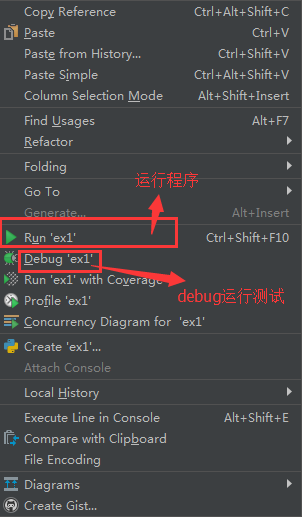
Run和Debug都是可以的,应该看到的结果

上一篇: 没有了
下一篇: 习题2:注释和井号
- H3C基本命令大全
54233
- H3C IRF原理及 配置
40994
- Python exit()函数
35509
- python全系列官方中文文档
31126
- python 获取网卡实时流量
26013
- 1.常用turtle功能函数
25747
- python 获取Linux和Windows硬件信息
24205
- 天天基金网数据接口
19752
- Selenium使用代理IP&无头模式访问网站
15801
- Selenium&Pytesseract模拟登录+验证码识别
15258
- LangGraph Studio可视化
2051°
- LangSmith开发-应用入门
1898°
- LangGraph开发-多轮对话问答机器人
1974°
- LangGraph开发-条件分支/循环图实战
2076°
- LangGraph开发-生态介绍,入门demo实战
2060°
- LangChain-接入12306-HTTP MCP智能体
2250°
- LangChain接入自定义爬虫-MCP工具
2190°
- LangChain接入Filesystem-MCP工具
2021°
- LangChain搭建MCP服务端和客户端流程
2090°
- LangGraph与MCP技术概述
2078°
- 姓名:Run
- 职业:谜
- 邮箱:383697894@qq.com
- 定位:上海 · 松江
