【python】windows下好用的的
发布时间:2019-09-18 07:22:34编辑:auto阅读(2667)
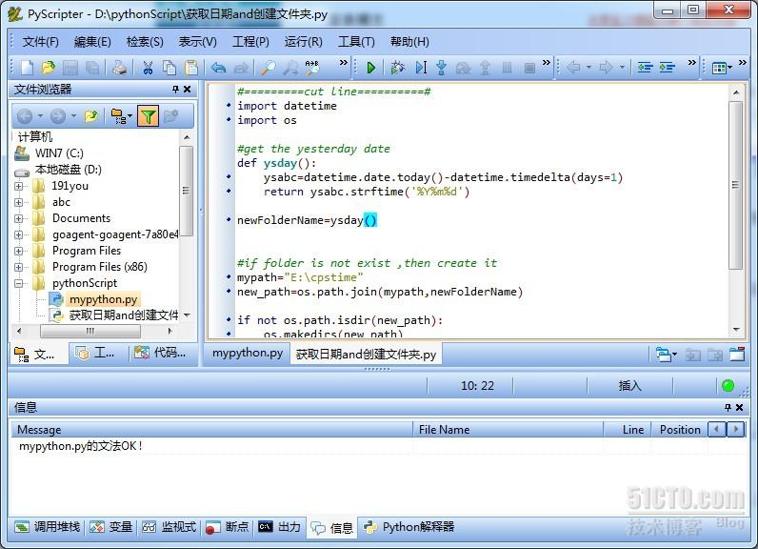
PyScripter分32和64为两种,安装时需要对应python的位数,与操作系统无关。
即:32位python对应32位pyScripter。64位类似
问题分析见:http://www.crifan.com/pyscripter_start_error_python_could_not_be_properly_initialized_we_must_quit/
常见错误2:ascii错误
修改:安装目录下lib\site.py
def setencoding():
    """Set the string encoding used by the Unicode implementation.  The
    default is 'ascii', but if you're willing to experiment, you can
    change this."""
    encoding = "ascii" # Default value set by _PyUnicode_Init()
    if 1:    #此处 把"if 0" 修改为 "if 1"
        # Enable to support locale aware default string encodings.
        import locale
        loc = locale.getdefaultlocale()
        if loc[1]:
encoding = loc[1]PyScripter官网为:http://code.google.com/p/pyscripter/
另附两个下载地址:
PyScripter_x86:
http://pyscripter.googlecode.com/files/PyScripter-v2.5.3-Setup.exe
PyScripter_x64:
http://pyscripter.googlecode.com/files/PyScripter-v2.5.3-x64-Setup.exe
上一篇: Python_类的继承
下一篇: CentOS7安装python3.6保留
- H3C基本命令大全
53063
- H3C IRF原理及 配置
39987
- Python exit()函数
34370
- python全系列官方中文文档
30121
- python 获取网卡实时流量
25015
- 1.常用turtle功能函数
24821
- python 获取Linux和Windows硬件信息
23195
- 天天基金网数据接口
16660
- Selenium使用代理IP&无头模式访问网站
14831
- Selenium&Pytesseract模拟登录+验证码识别
14331
- LangGraph Studio可视化
649°
- LangSmith开发-应用入门
611°
- LangGraph开发-多轮对话问答机器人
670°
- LangGraph开发-条件分支/循环图实战
689°
- LangGraph开发-生态介绍,入门demo实战
737°
- LangChain-接入12306-HTTP MCP智能体
861°
- LangChain接入自定义爬虫-MCP工具
825°
- LangChain接入Filesystem-MCP工具
848°
- LangChain搭建MCP服务端和客户端流程
946°
- LangGraph与MCP技术概述
870°
- 姓名:Run
- 职业:谜
- 邮箱:383697894@qq.com
- 定位:上海 · 松江
