Python从入门到放弃(Mac) -
发布时间:2019-09-08 09:08:58编辑:auto阅读(2632)
1. First of all, install python, I chose the latest version. Download: https://www.python.org/downloads/mac-osx/ 首先安装啦,下载地址如左
2. Run terminal with command python as below: 然后打开你的终端,不知道在哪里就在launchpad搜索terminal然后固定在dock吧
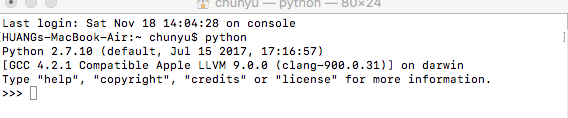
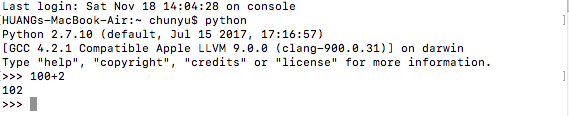
3. Then you can type python command in terminal directly, as below: 然后你就可以在终端直接敲python命令啦,如下直接用python进行简单的计算
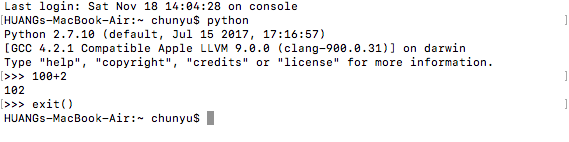
4. Exit() can exist python as below: 退出的方式如下:
5. First program: hello world! 你的第一个python hello world
method 1: 方法1,直接在终端直接敲python代码,然后直接执行
run terminal and type python as below:

method 2: 方法2,新建python文档
(先出去逛吃逛吃,今天有空回来再更~)
上一篇: python自带的卷积
下一篇: python httpConnectio
- H3C基本命令大全
53092
- H3C IRF原理及 配置
40017
- Python exit()函数
34397
- python全系列官方中文文档
30147
- python 获取网卡实时流量
25046
- 1.常用turtle功能函数
24846
- python 获取Linux和Windows硬件信息
23220
- 天天基金网数据接口
16700
- Selenium使用代理IP&无头模式访问网站
14854
- Selenium&Pytesseract模拟登录+验证码识别
14350
- LangGraph Studio可视化
685°
- LangSmith开发-应用入门
638°
- LangGraph开发-多轮对话问答机器人
695°
- LangGraph开发-条件分支/循环图实战
720°
- LangGraph开发-生态介绍,入门demo实战
765°
- LangChain-接入12306-HTTP MCP智能体
897°
- LangChain接入自定义爬虫-MCP工具
859°
- LangChain接入Filesystem-MCP工具
879°
- LangChain搭建MCP服务端和客户端流程
973°
- LangGraph与MCP技术概述
897°
- 姓名:Run
- 职业:谜
- 邮箱:383697894@qq.com
- 定位:上海 · 松江
