Unity 3D Animation角色
发布时间:2019-09-05 07:06:33编辑:auto阅读(2599)
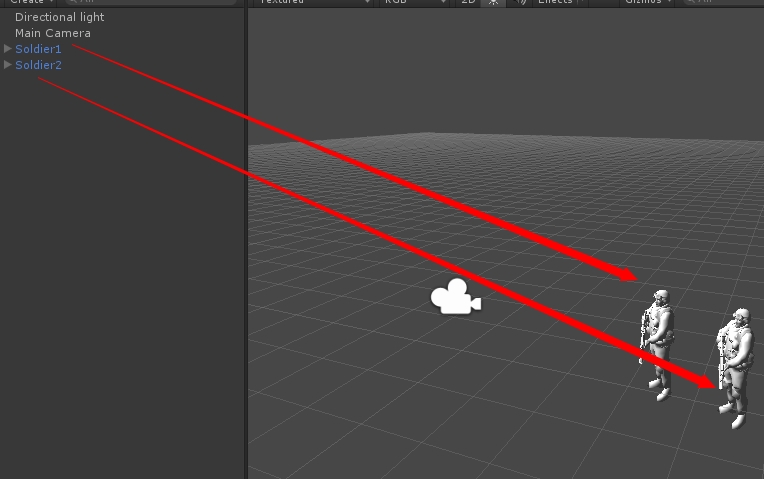
1、如图模型1是已经做好的文件,模型2是还没动画效果的模型
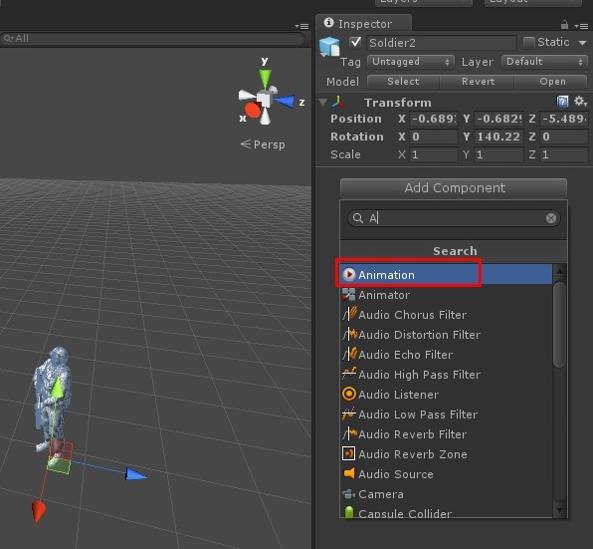
2、添加角色动画属性组件
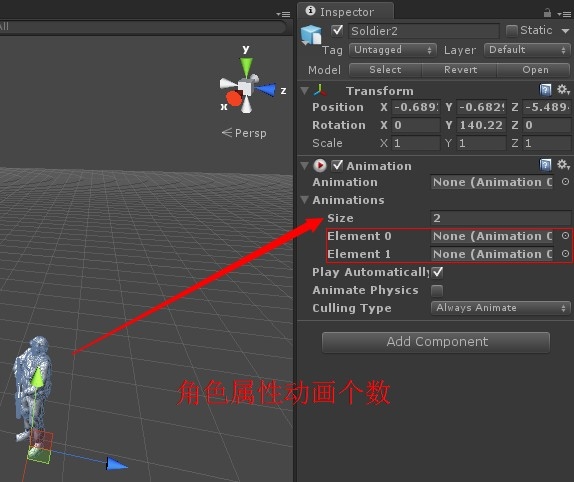
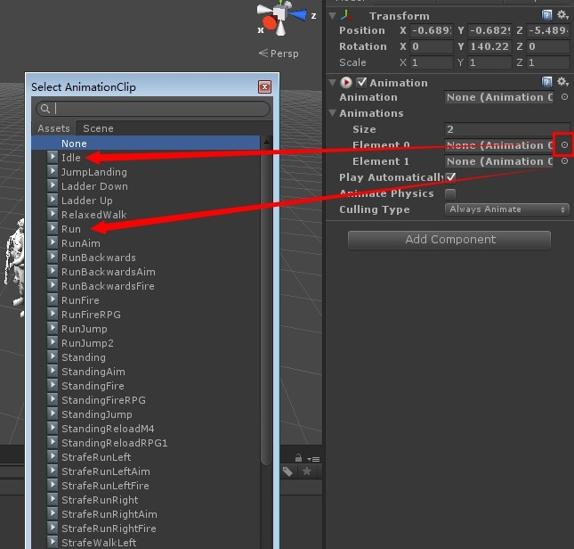
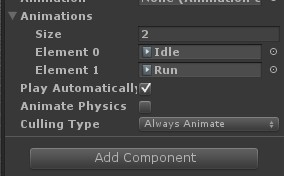
3、代码控制动画播
using UnityEngine;
using System.Collections;
public class NewBehaviourScript : MonoBehaviour {
    private Animation animation;//动画
    // Use this for initialization
    void Start () {
        //取得游戏对象动画组件
        animation = GetComponent<Animation>();
    }

    // Update is called once per frame
    void Update () {
        //播放行走动画
        animation.Play ("Run");
//站立 play播放分别对应Animations中Element0和Element1中的动画名
//animation.Play ("Idle");
    }
}
以上就是Unity 3D控制角色动画的基本操作教程,附上demo
下载地址:http://www.kuaipan.cn/file/id_141868194330584496.htm?source=1
上一篇: php-eclipse集成配置(Ecli
下一篇: Workerman3.x 版本学习之入门
- H3C基本命令大全
53102
- H3C IRF原理及 配置
40025
- Python exit()函数
34408
- python全系列官方中文文档
30158
- python 获取网卡实时流量
25059
- 1.常用turtle功能函数
24856
- python 获取Linux和Windows硬件信息
23232
- 天天基金网数据接口
16713
- Selenium使用代理IP&无头模式访问网站
14867
- Selenium&Pytesseract模拟登录+验证码识别
14360
- LangGraph Studio可视化
705°
- LangSmith开发-应用入门
650°
- LangGraph开发-多轮对话问答机器人
716°
- LangGraph开发-条件分支/循环图实战
733°
- LangGraph开发-生态介绍,入门demo实战
780°
- LangChain-接入12306-HTTP MCP智能体
910°
- LangChain接入自定义爬虫-MCP工具
876°
- LangChain接入Filesystem-MCP工具
894°
- LangChain搭建MCP服务端和客户端流程
987°
- LangGraph与MCP技术概述
913°
- 姓名:Run
- 职业:谜
- 邮箱:383697894@qq.com
- 定位:上海 · 松江
